Design Faster.
Create Smarter.

Create AI designs, remove backgrounds, use templates, and export fast.

Launch Editor

Why Choose Canvix

A lightweight browser-based editor packed with AI tools, creative controls, and fast exports.

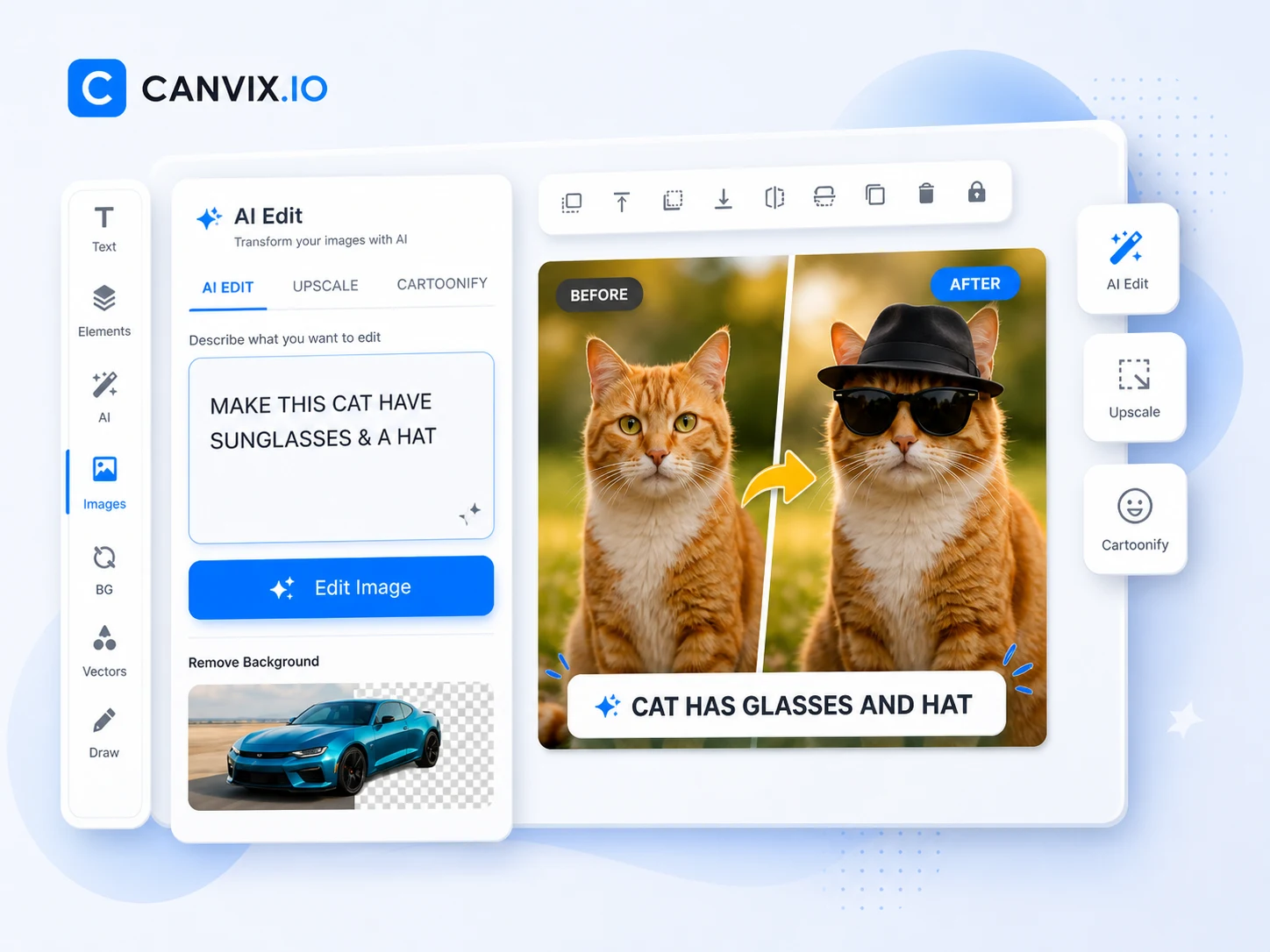
Canvix AI image editing interface

Prompt-based editing

Select an image, describe the change you want, and let AI transform it in seconds.

Fast creative iterations

Try style changes, object swaps, scene updates, and quick visual ideas without leaving the editor.

Keep editing on canvas

After the AI edit, add text, layers, assets, and effects from the same smooth FabricJS workspace.

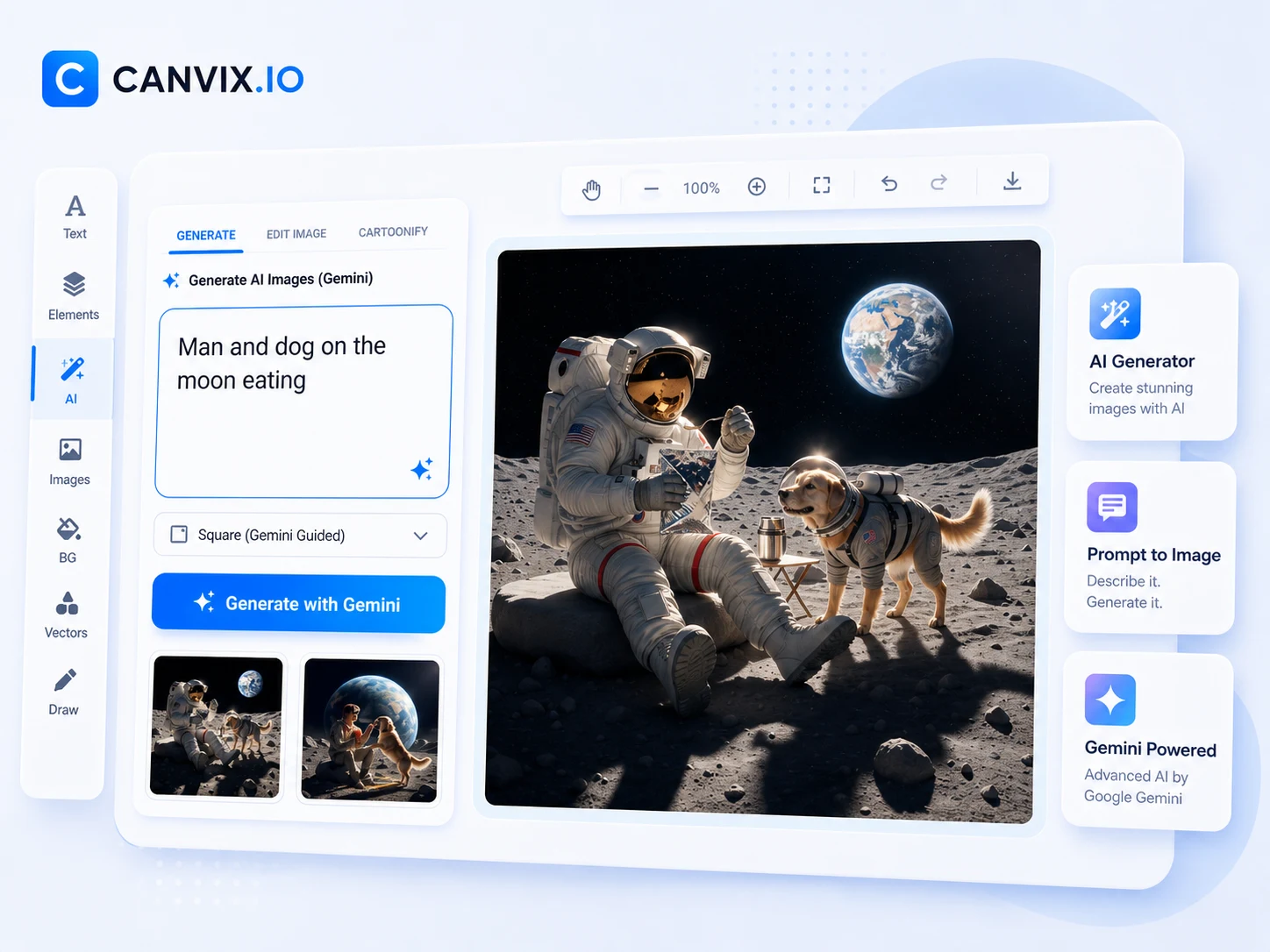
Canvix AI image generator

Turn ideas into visuals

Create thumbnails, ads, posters, product scenes, blog graphics, and social images from a prompt.

Large prompt area

Guide the result with detailed prompts and quickly generate variations until the look feels right.

Ready for real designs

Drop generated images straight into templates, social posts, marketing graphics, and YouTube visuals.

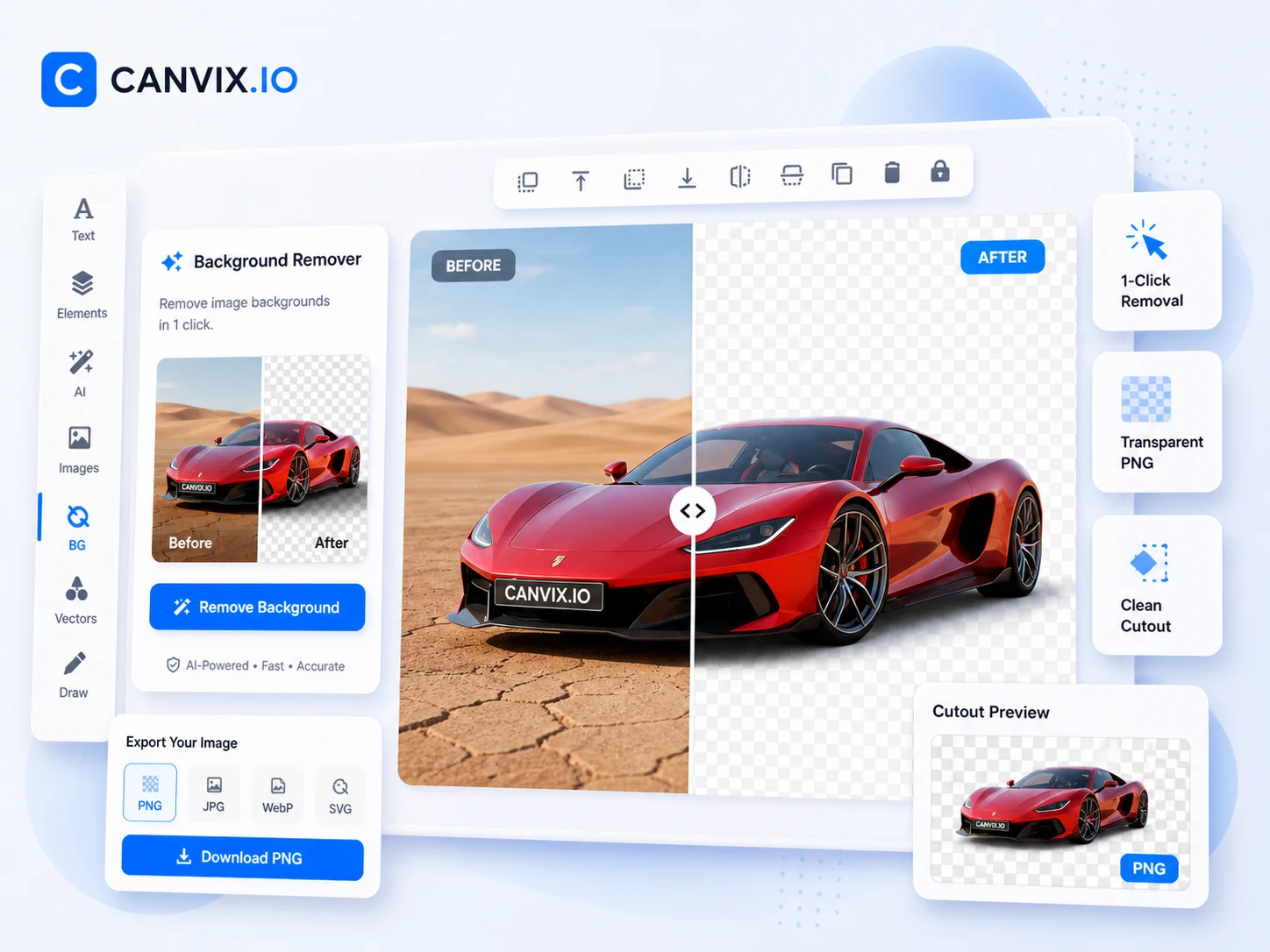
Canvix background remover

Perfect for product shots

Create clean cutouts for ecommerce, ads, branded visuals, and polished promotional graphics.

Before and after preview

Show the original and the cutout side by side so users instantly understand the result.

Transparent PNG workflow

Use cutouts on new backgrounds, templates, and exports with transparency intact.

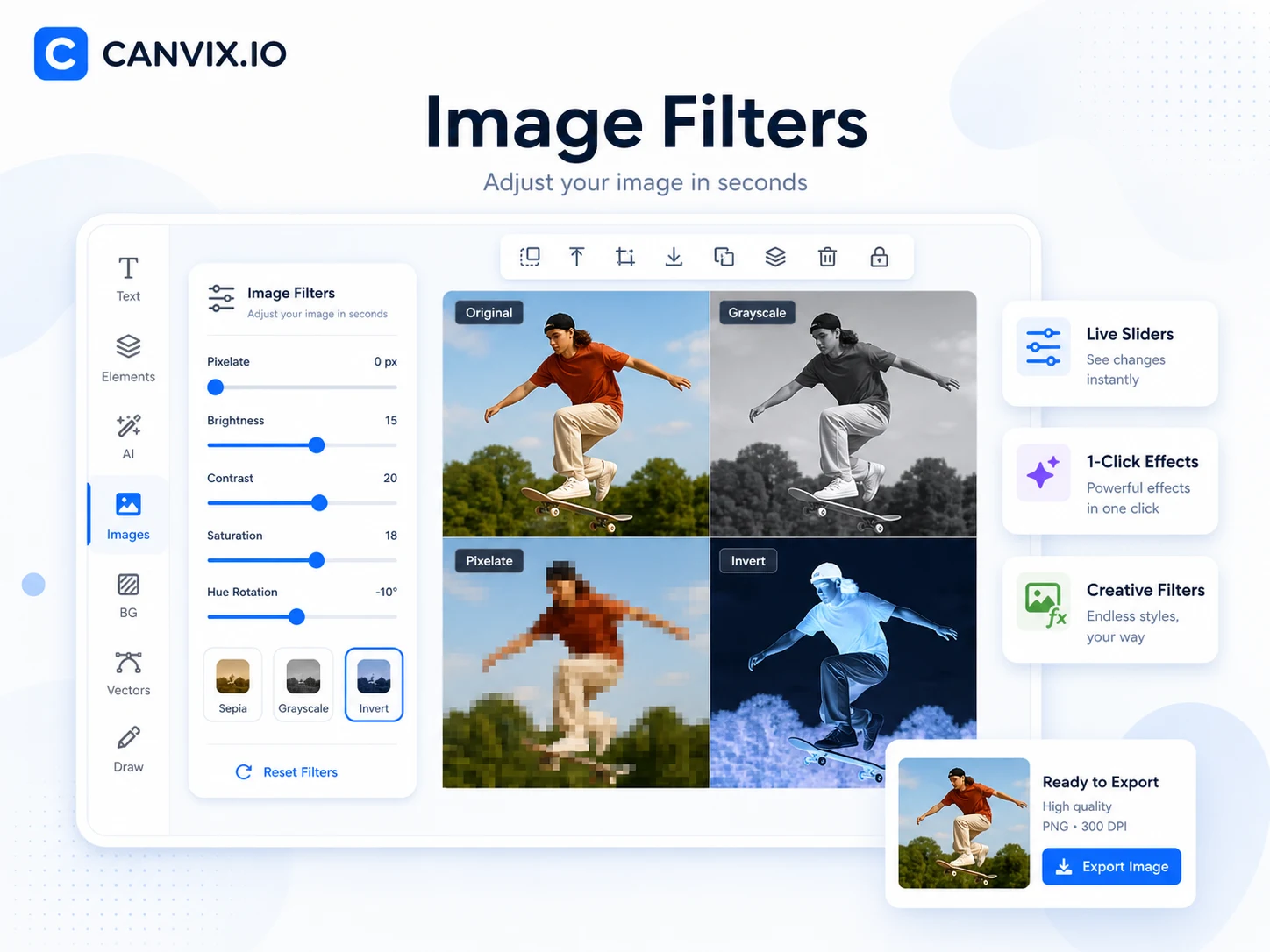
Canvix image filters and sliders

Live image controls

Adjust brightness, contrast, saturation, hue, sharpen, exposure, temperature, glow, and more.

Creative effects

Use pixelate, grayscale, invert, sepia, and other quick effects to create different looks instantly.

Upscale and cartoonify

Enhance small images or stylize them for thumbnails, content creation, and eye-catching visuals.

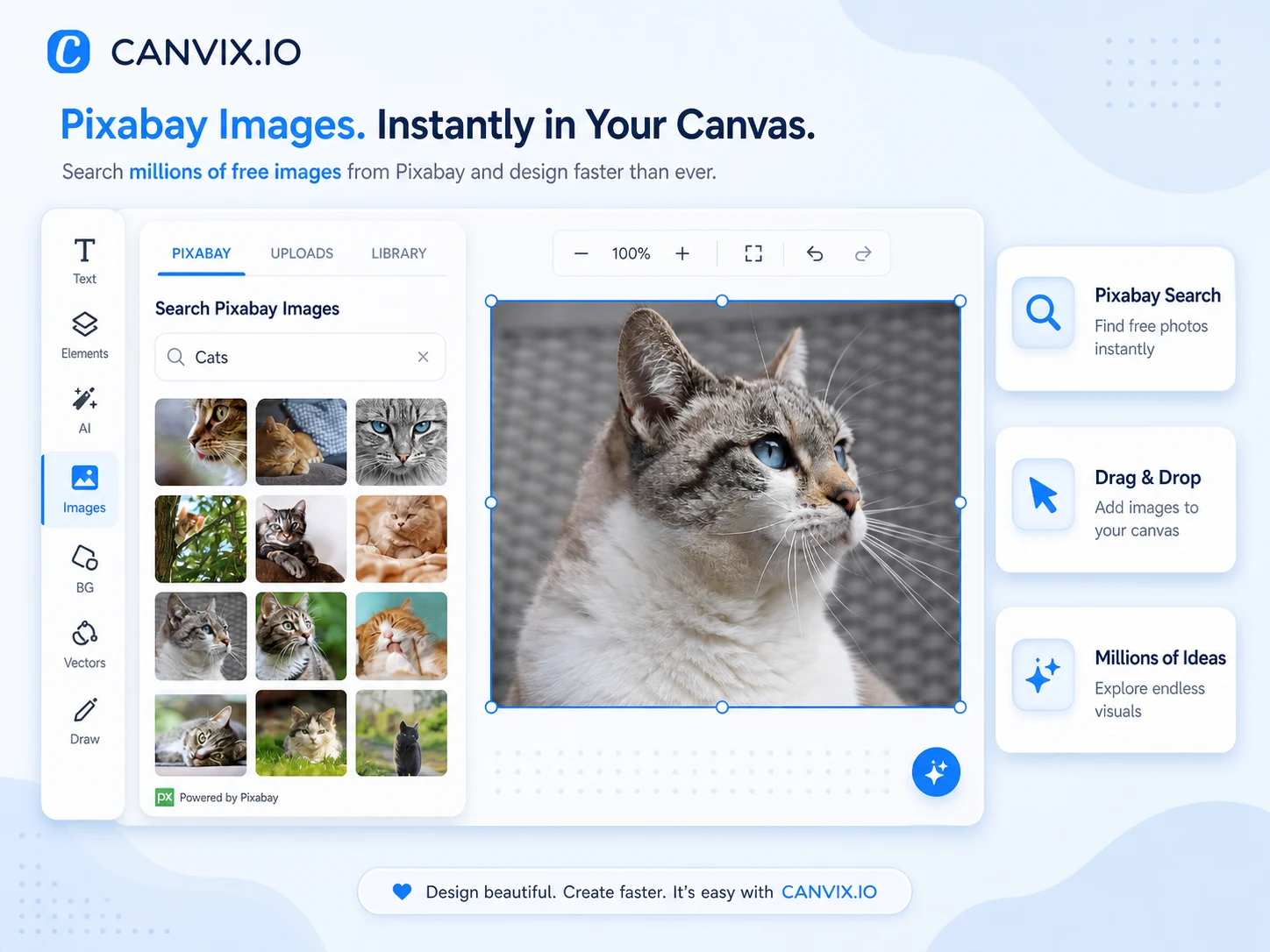
Canvix Pixabay image search

Free image search

Find free photos with a simple search and place them directly on your canvas in seconds.

Drag and drop workflow

Browse results visually, insert the image you want, and keep designing without switching tabs.

Works with uploads too

Combine Pixabay photos with your own uploads, screenshots, URLs, and other editor assets.

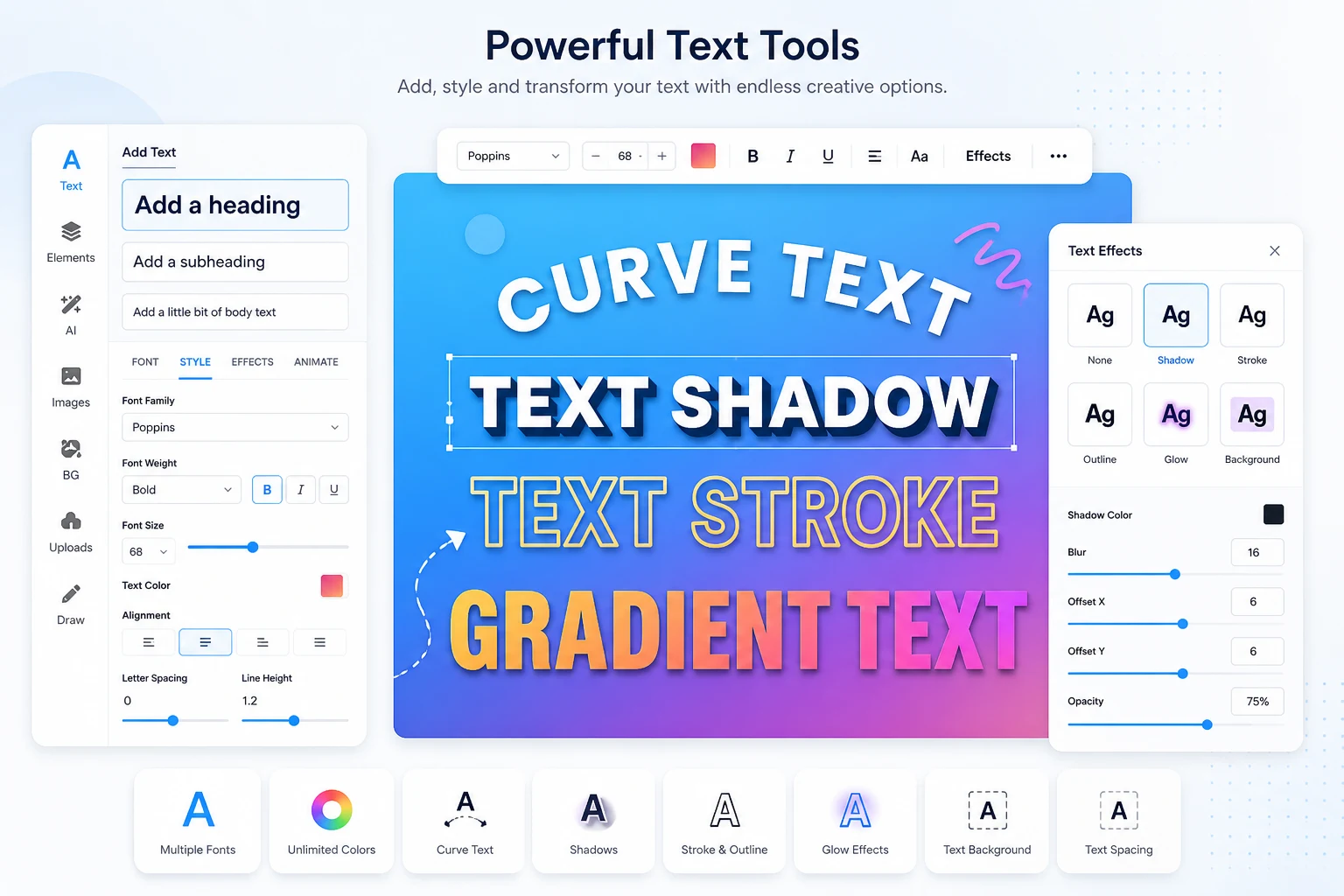
Canvix text effects and typography tools

Flexible typography

Add headings, paragraphs, custom fonts, alignment, spacing, and styling from an easy editor panel.

Creative text effects

Use curve text, gradients, shadows, outlines, glow, backgrounds, and more to make text pop.

Perfect for content design

Build better thumbnails, social posts, ads, and banners with text that feels polished and professional.

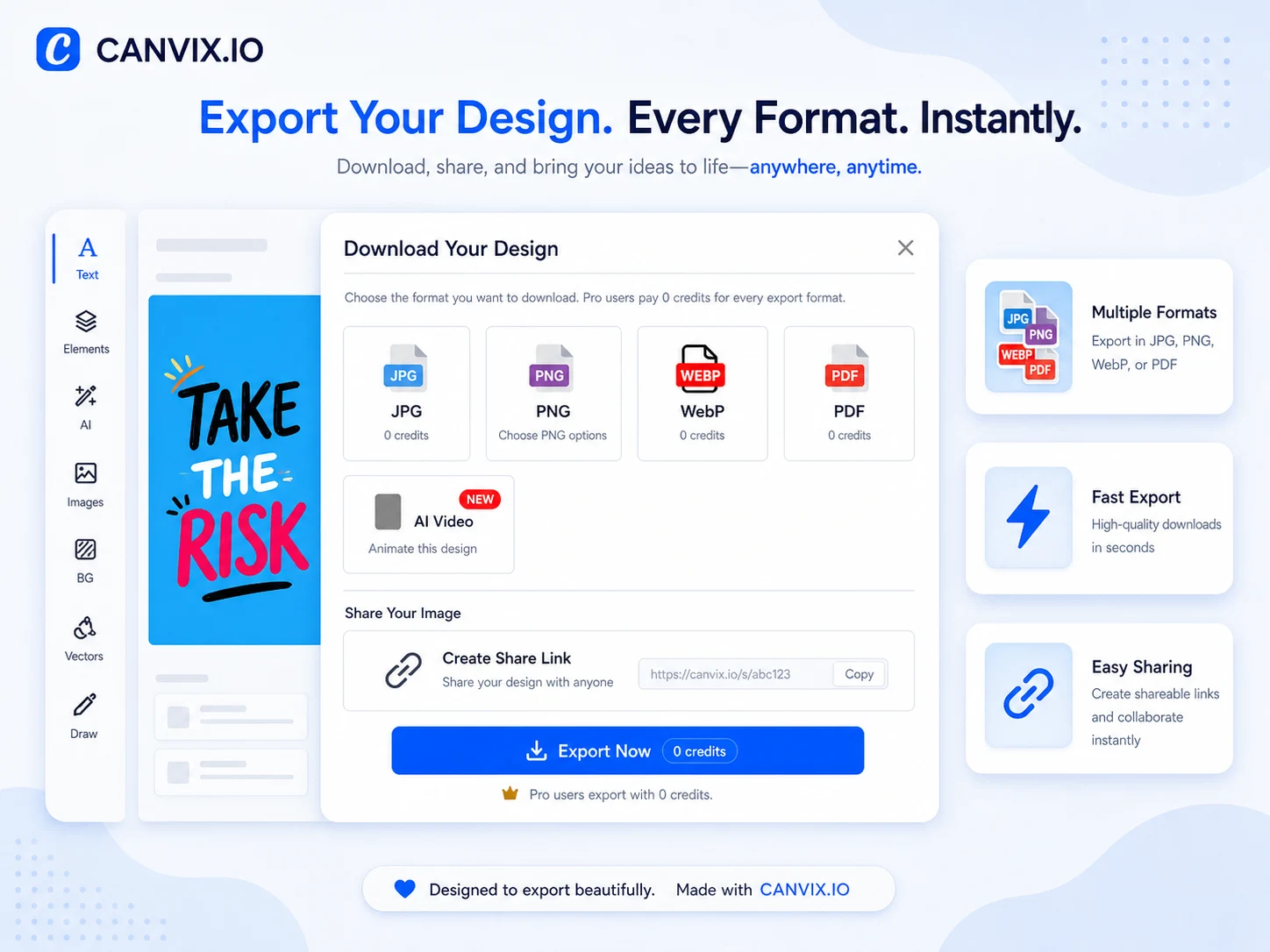
Canvix export options

Multiple export formats

Download finished work as JPG, PNG, WebP, or PDF depending on your project needs.

Fast export flow

Get your design out quickly with a clean export modal and instant download actions.

Shareable outputs

Generate share links and export polished designs ready for clients, social media, or print.

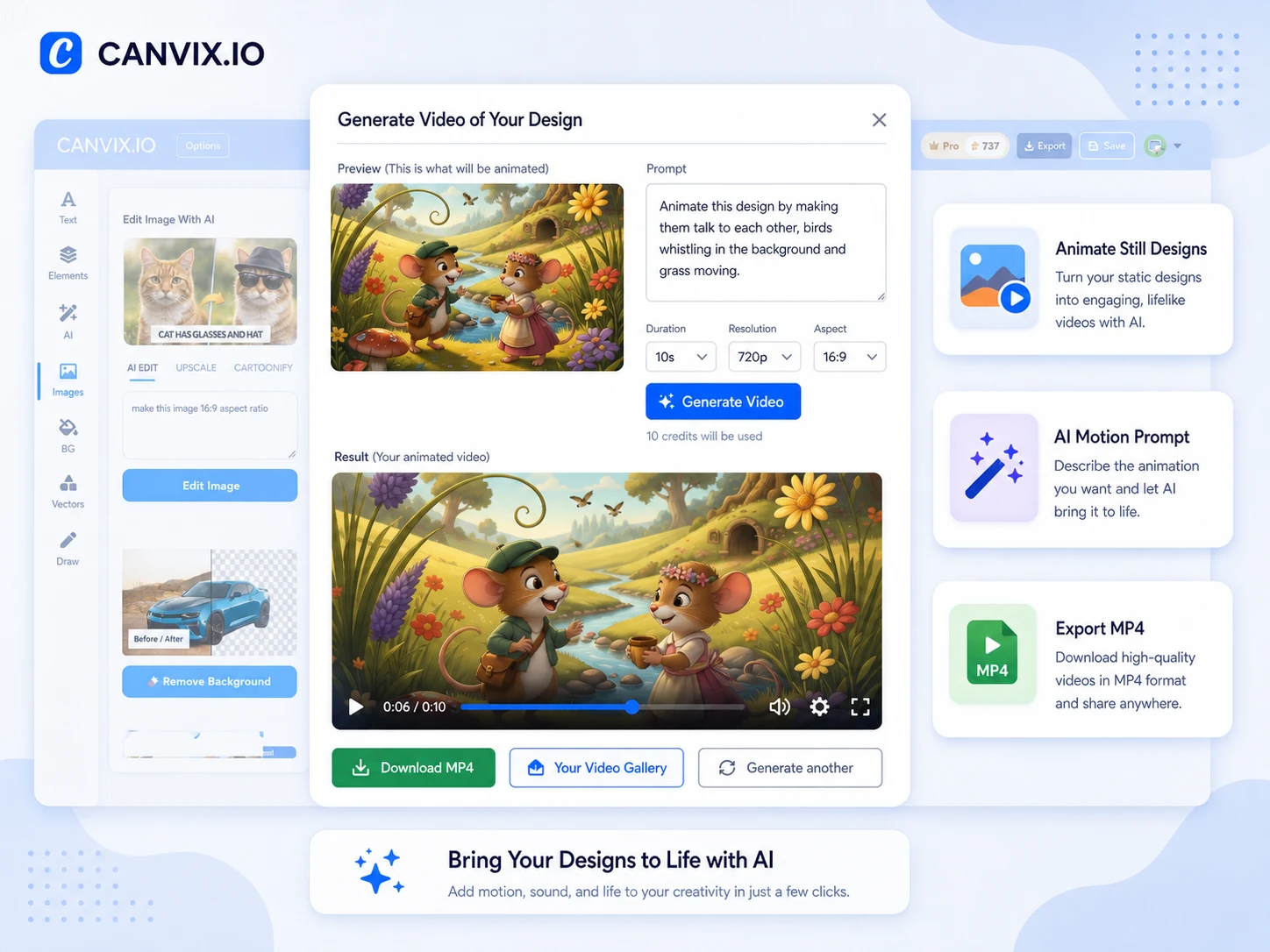
Canvix animate design feature

Bring still designs to life

Turn static artwork into short engaging videos with motion, action, and life-like animation.

Prompt the motion

Describe how the scene should move and let AI generate the video in the aspect ratio and duration you choose.

Export MP4 videos

Download finished animations and use them for social posts, promos, creative campaigns, and storytelling.

Powerful AI Tools at Your Fingertips

Everything you need to create, edit, and export in one place.

AI Image Generator

Turn text into polished visuals instantly for ads, thumbnails, and social posts.

AI Image Editor

Remove backgrounds, refine images, and clean up visuals with AI-assisted tools.

Layers & Workflow

Build advanced designs with familiar layer controls, masks, and visual hierarchy.

Fast Exports

Download PNG, JPG, WebP or PDF — including transparent backgrounds when needed.

Watch Canvix in Action

See how quickly you can build, edit, and export beautiful designs.

From Idea to Export in 3 Steps

A clean workflow that gets you from blank canvas to finished design fast.

1

Start a canvas

Choose a size, use a template, or set custom dimensions.

2

Build with layers & AI

Generate images, remove backgrounds, add text, effects, and assets.

3

Export & share

Download PNG, JPG, or PDF and publish right away.

Workflow preview

Loved by Creators & Teams

Built for fast-moving workflows and polished visual output.

User avatar U

“Thumbnails in minutes.”

Background removal and text tools make my YouTube workflow way faster.

User avatar S

“Perfect for product shots.”

Clean cutouts and quick edits help me keep store images consistent.

User avatar A

“All-in-one browser editor.”

AI generation, layers, and asset support all in one clean place.

Ready to Create Something Great?

Open the editor, start from a blank canvas or template, and ship your next design faster.

Start Editing Free